My Addons
Your bags, dungeons and professions: three companions for your adventures in WoW Forever. Find them on CurseForge.
Quest Item Cleaner Forever
Sort out your quest items.
Open your quest log once after each login, then hover over items in your bags.
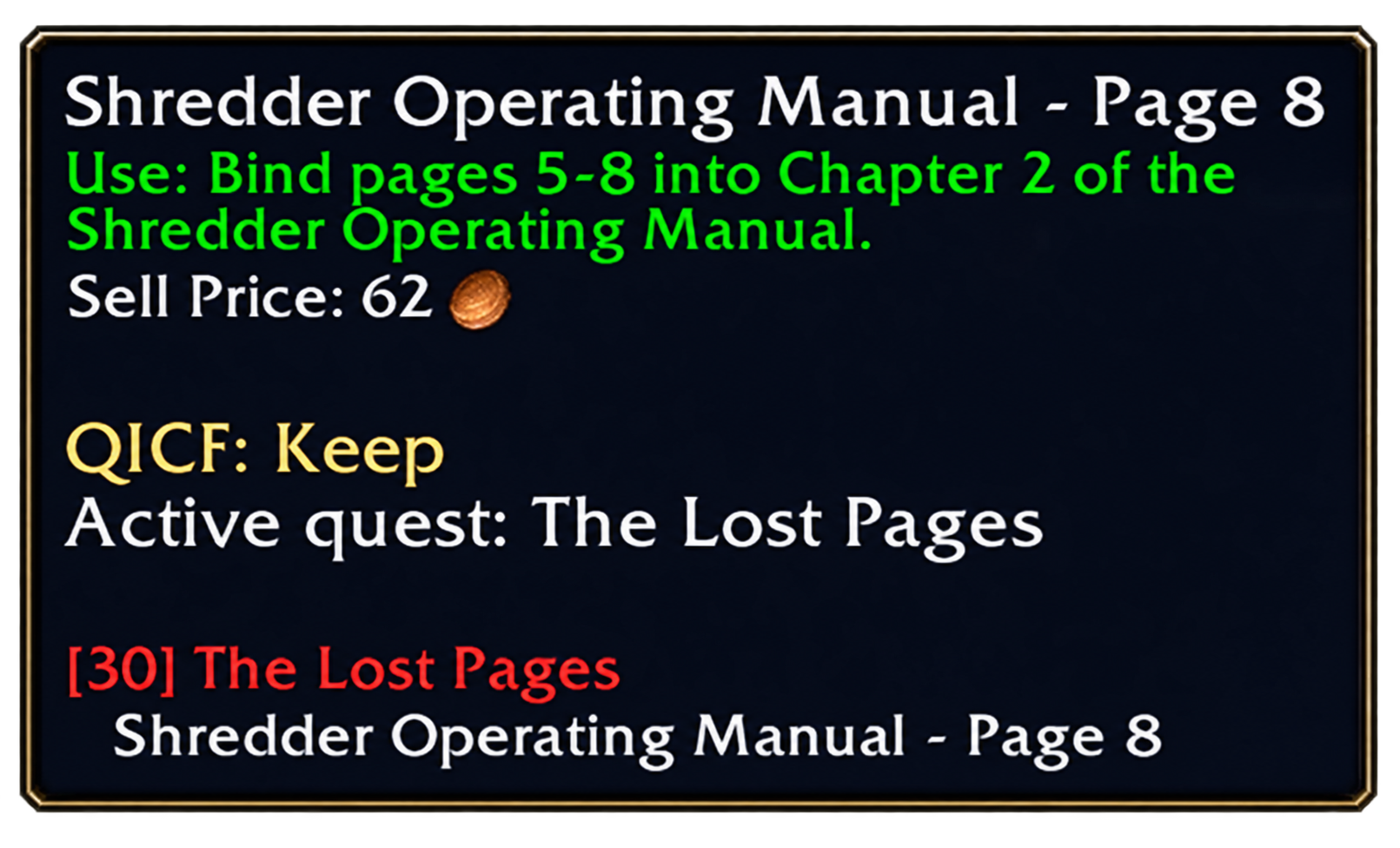
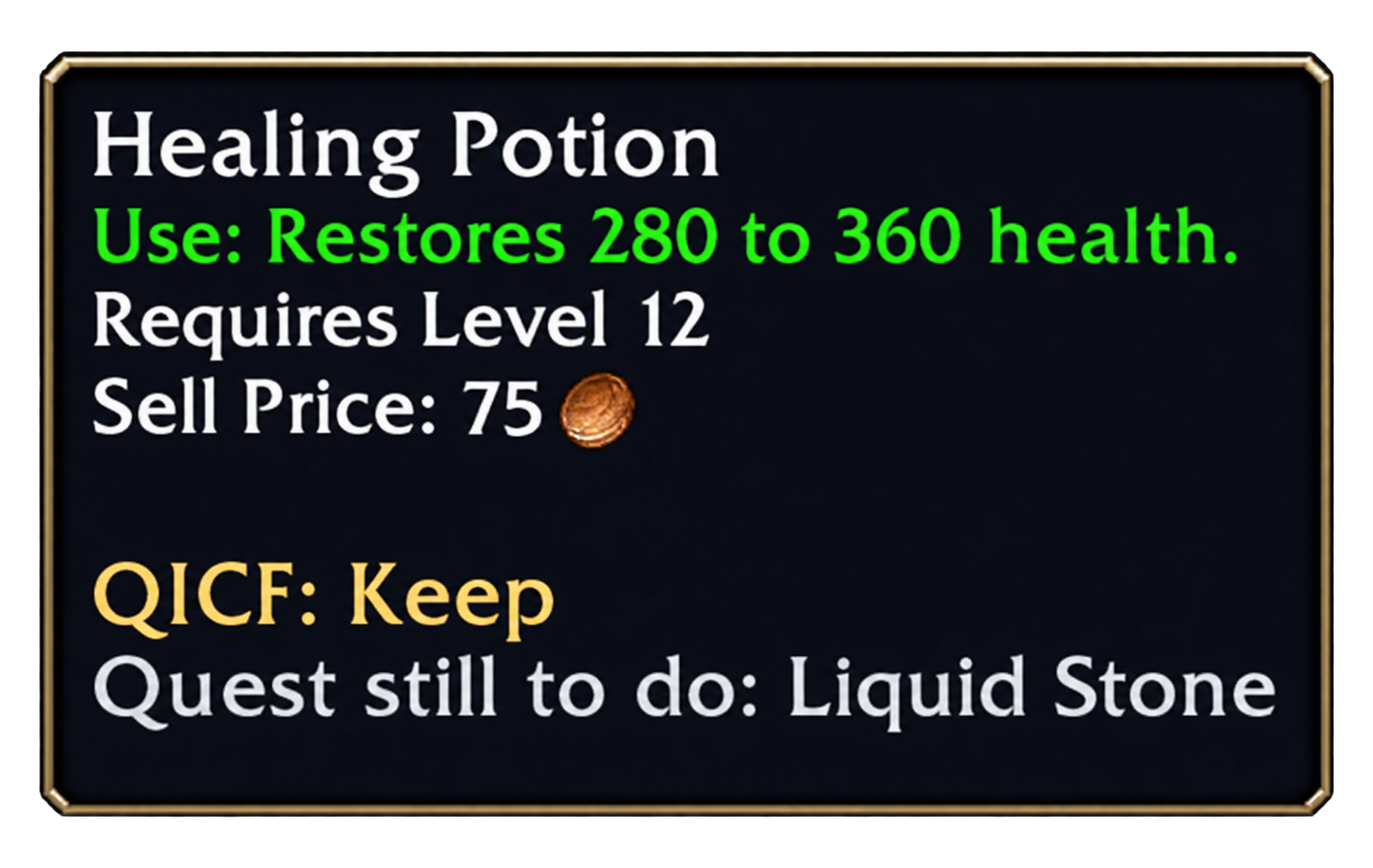
The addon adds advice to their tooltips: “Keep”, “Can be deleted” or “Unknown use”. It combines your quest log, completed quests and Questie information to help you decide.
Keep an item linked to an active, repeatable or unfinished quest. If there is not enough information, its use remains unknown. You stay in control: the addon deletes nothing.
Details
“Can be deleted” applies to quest items whose known uses applicable to your character are all completed. Uses missing from the data, including some Forever quests, may remain unknown.
The addon checks your faction, class and race. In the options, customize the font, text size and advice colors with a preview.
Questie supplements information read from your quest log. /qicf opens the options; /qicf setup restarts setup.
Dungeon Quest Tracker Forever
Prepare your quests before entering a dungeon.
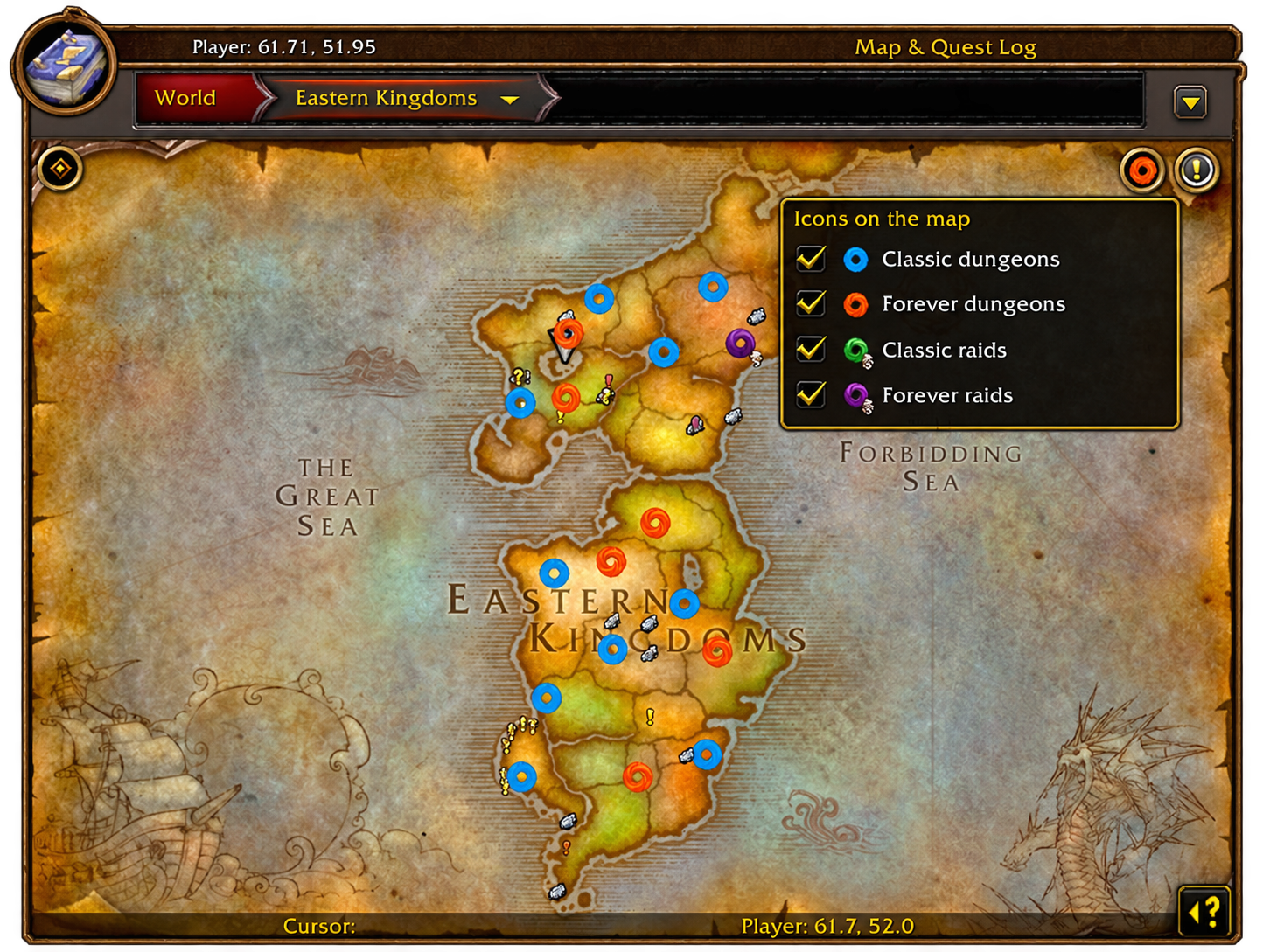
Open the world map with M, then click a dungeon entrance.
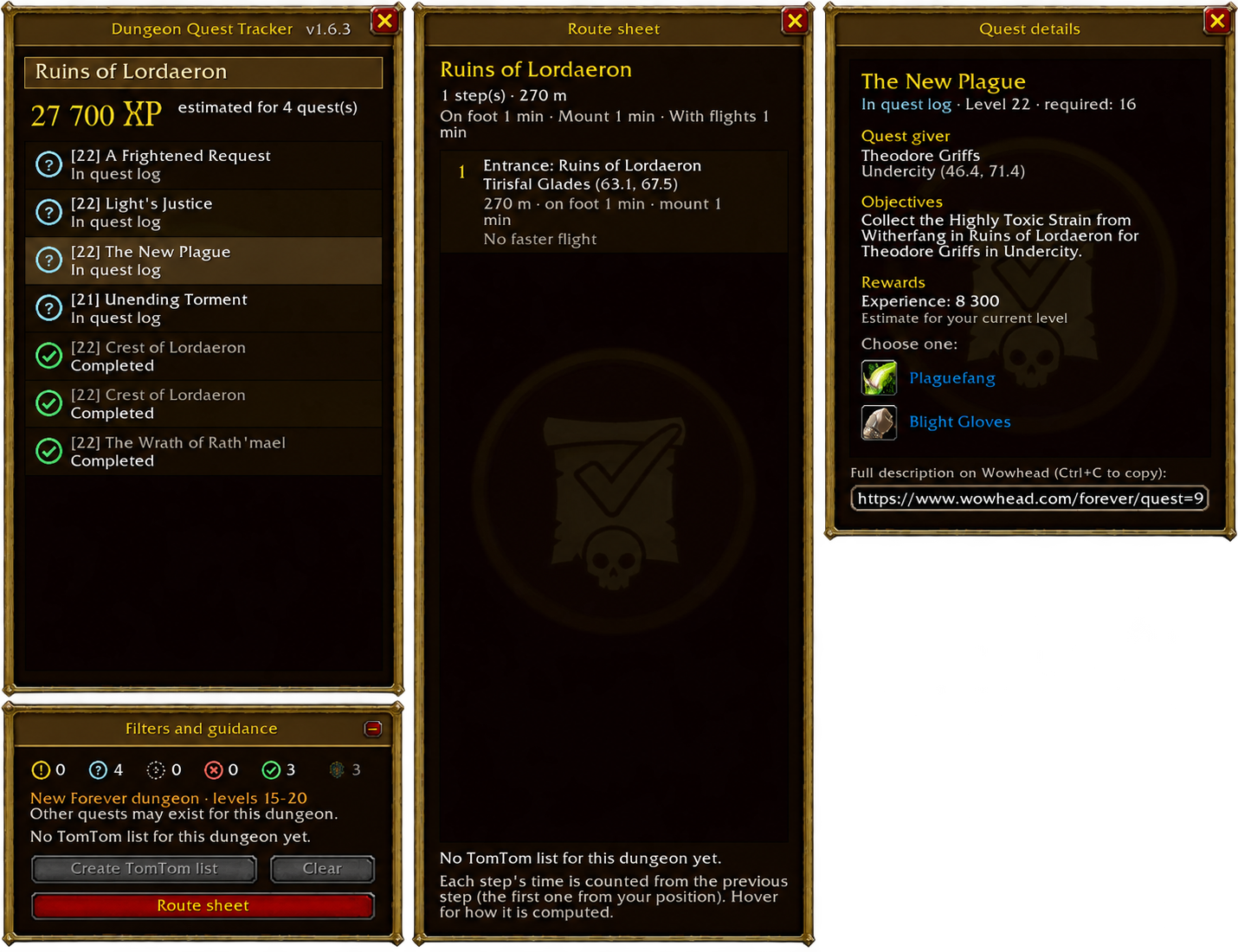
Find quests to pick up, in progress or already completed. Check their rewards, quest chains and any prerequisites you are missing.
Select the quests you want and start TomTom guidance to pick them up. The route sheet brings together steps, distances and estimated travel times.
Details
Quest chains follow progression order. Depending on each quest’s state, guidance can take you to the giver, a remaining objective or the turn-in NPC. You can also include unfinished prerequisites in your route.
Inside a dungeon, open the map to find its quests. Map filters control entrances for Classic and Forever dungeons and raids.
The addon uses Questie and adds data for some Forever dungeons. Coverage depends on available information. It also detects Questie additions and changes at login: /dqt questie shows them.
Questie and TomTom are required. /dqt opens the map; /dqt road shows the route sheet.
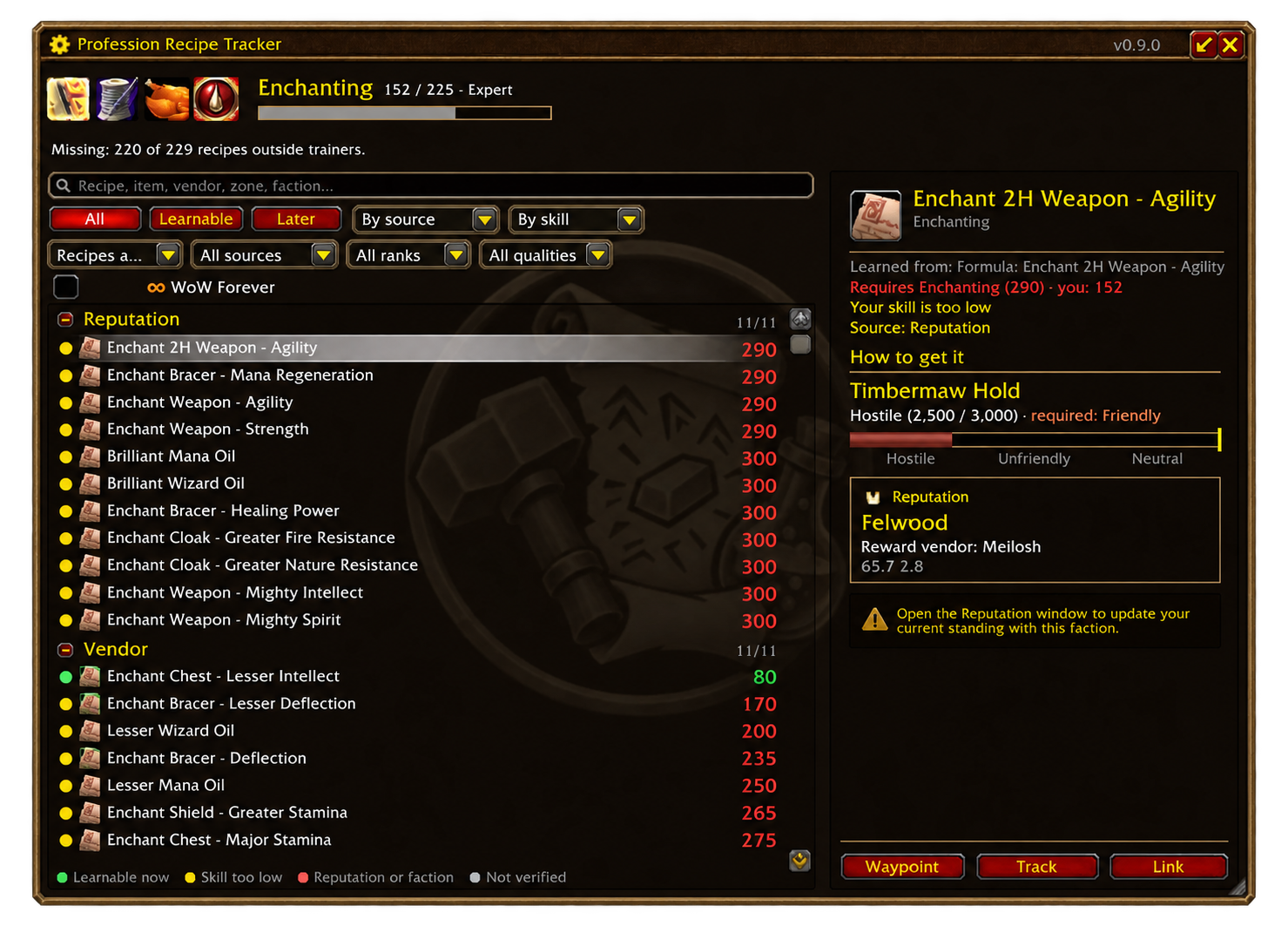
Profession Recipe Tracker Forever
Find the recipes you are missing.
Open your profession window after login to update your known recipes, then click the PRT tab or type /prt.
Find missing recipes not learned from trainers, along with progression books. They are grouped by acquisition method: vendor, reputation, currency, quest or drop.
Filter recipes learnable now or saved for later. Click a recipe to see known requirements, its price and where to obtain it. The /way buttons place a waypoint and, with TomTom, guide you to the source.
Details
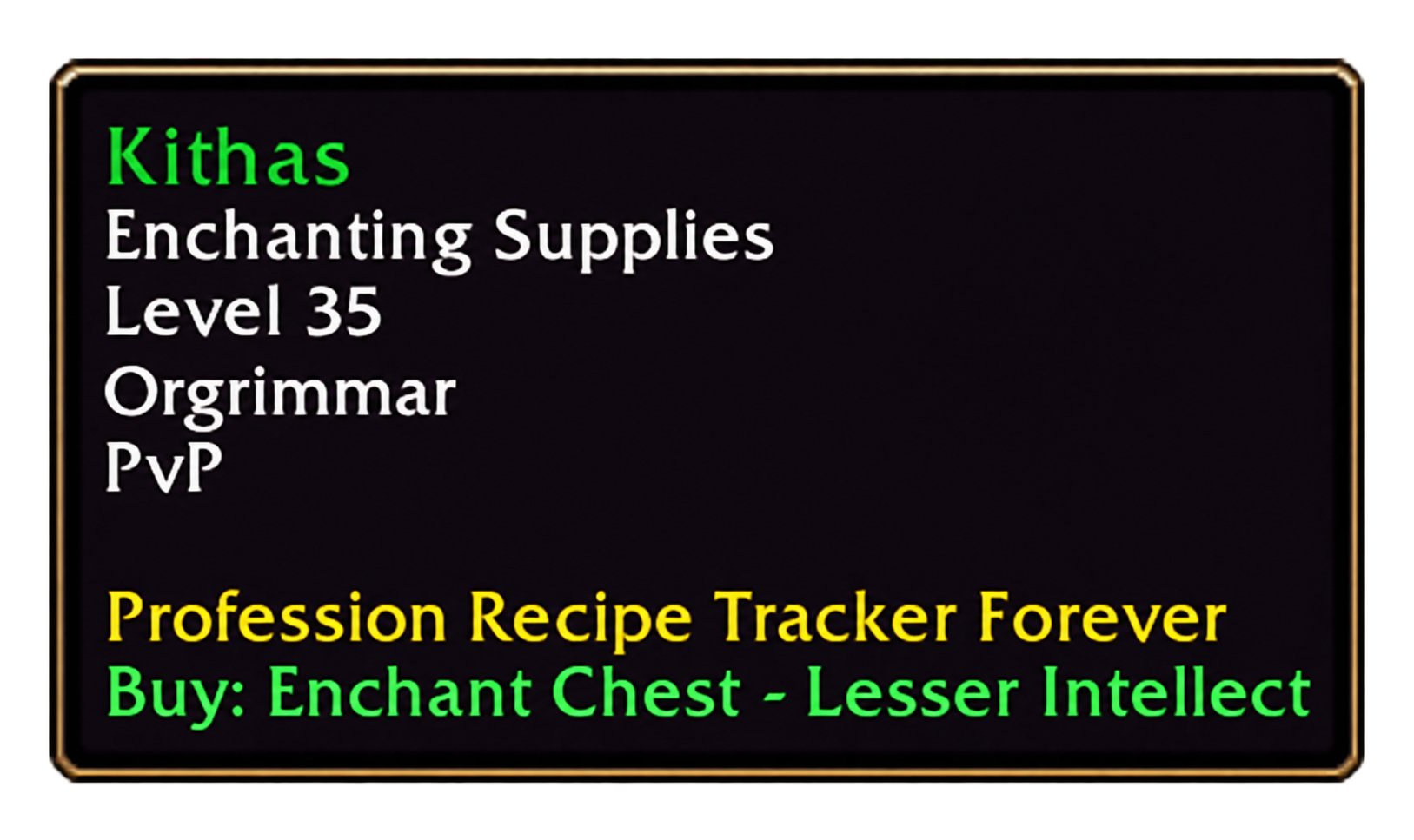
When hovering over a vendor or creature, the tooltip can show missing learnable recipes, known drop rates and limited stock. Tracked recipes and those available from a single source are prioritized. These displays can be configured separately in the options.
Tracking lets you quickly find recipes you want to obtain. When an NPC is targeted, the tracker shows its portrait and information, with access to its associated recipes.
The ∞ marker identifies recipes considered likely to be Forever-specific based on available data.
AtlasLoot Forever and Questie are recommended to expand the catalog and sources. TomTom is optional for guidance. Without these addons, some information may be missing; a map waypoint remains available without TomTom when the location is known.